
Post
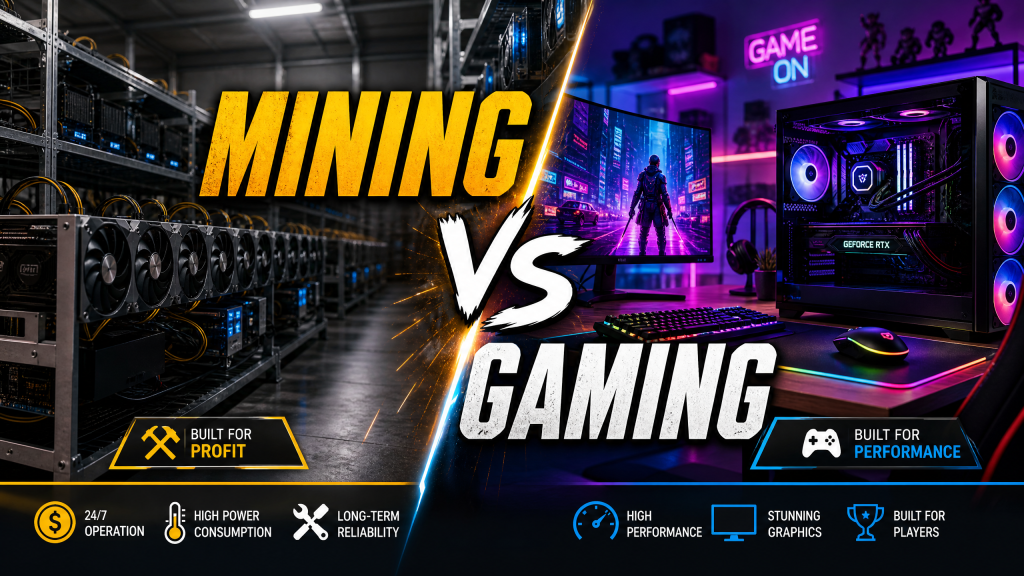
GPUs Mining vs Gaming Cards: What’s the Difference and Does It Matter?
Jun
GPU Mining vs Gaming Cards: What’s the Difference and Does It Matter?
During the cryptocurrency boom of the early 2020s, graphics cards became one of the most sought-after pieces of computer hardware in the world. Gamers struggled to find GPUs at reasonable prices, while cryptocurrency miners purchased thousands of cards to build large-scale mining farms. As a result, many PC enthusiasts became concerned about the long-term effects of mining on graphics cards and whether buying a used mining GPU was a risky decision.
Even though the GPU market has largely stabilized in 2025, questions about mining cards remain common. Are mining GPUs different from gaming GPUs? Does cryptocurrency mining permanently damage graphics cards? Should you avoid used GPUs that were previously used for mining?
The answer is more nuanced than many people realize. While mining and gaming place different types of stress on graphics hardware, modern GPUs are generally more durable than most buyers assume. Understanding how mining workloads differ from gaming workloads can help you make smarter purchasing decisions and potentially save money when shopping for used hardware.
What Is Cryptocurrency Mining?
Cryptocurrency mining is the process of validating transactions and securing blockchain networks through complex mathematical calculations. Miners contribute computing power to solve cryptographic problems, and in return, they receive cryptocurrency rewards.
Many cryptocurrencies historically relied on algorithms that were highly efficient on graphics processors. Unlike CPUs, which excel at handling a few complex tasks at a time, GPUs contain thousands of smaller processing units that can perform many calculations simultaneously.
This parallel processing capability makes GPUs exceptionally good at:
- Hash calculations
- Blockchain validation
- Cryptographic computations
- Memory-intensive algorithms
- Large-scale mathematical operations
During the peak mining years, GPUs from NVIDIA and AMD became essential tools for miners looking to maximize profitability.
Why GPUs Became Popular for Mining
Graphics cards were originally designed for gaming and rendering workloads. However, the same hardware that renders millions of pixels per second is also capable of performing large numbers of repetitive mathematical calculations.
Many mining algorithms rely heavily on memory bandwidth and parallel computation. GPUs excel in both areas thanks to:
- Thousands of processing cores
- High-speed GDDR memory
- Massive memory bandwidth
- Optimized parallel architecture
For example, Ethereum mining before the network transitioned away from Proof of Work heavily favored GPUs because of their ability to process memory-intensive calculations efficiently.
This demand led to severe GPU shortages worldwide and dramatically increased prices across both new and used markets.
Are Mining GPUs Different from Gaming GPUs?
In most cases, no.
The majority of cryptocurrency miners use standard consumer graphics cards identical to those purchased by gamers. An RTX 3080 used for gaming and an RTX 3080 used for mining are physically the same product.
The difference lies not in the hardware itself but in how it is used.
Gaming workloads are dynamic. GPU utilization constantly changes depending on the scene being rendered, the game’s graphics settings, and player activity.
Mining workloads are much more predictable. The GPU often runs at a constant utilization level for extended periods, sometimes continuously for months or years.
This distinction creates different wear patterns on the hardware.
Gaming Workloads vs Mining Workloads
Gaming and mining stress graphics cards in fundamentally different ways.
Gaming Characteristics
- Variable GPU utilization
- Frequent temperature fluctuations
- Periods of idle operation
- Shorter daily usage sessions
- Heavy shader workloads
A typical gamer may use a GPU for 2-6 hours per day with significant variation in load.
Mining Characteristics
- Near-constant utilization
- 24/7 operation
- Stable temperatures
- Memory-focused workloads
- Maximum efficiency tuning
Mining systems often run continuously around the clock, resulting in significantly more total operating hours.
The Biggest Concern: Hardware Wear
The primary concern with mining GPUs is wear caused by continuous operation.
A graphics card used for mining 24 hours a day accumulates operational hours much faster than a gaming card.
For example:
- Gaming GPU: 4 hours/day = 1,460 hours/year
- Mining GPU: 24 hours/day = 8,760 hours/year
After two years, a mining GPU may have accumulated more than 17,000 hours of runtime compared to fewer than 3,000 hours for many gaming systems.
However, runtime alone does not automatically mean the GPU is damaged.
What Components Actually Wear Out?
Interestingly, the GPU chip itself is rarely the component that fails first.
Modern graphics processors are designed to operate continuously under heavy loads. Enterprise GPUs and data-center accelerators routinely run at high utilization for years without issue.
The components most affected by mining are typically:
Cooling Fans
Fans contain moving parts and bearings that naturally wear over time.
A GPU running 24/7 places significantly more stress on fans than a gaming card that only operates a few hours daily.
Signs of worn fans include:
- Grinding noises
- Rattling sounds
- Reduced airflow
- Intermittent fan failure
Thermal Paste
Thermal paste transfers heat from the GPU die to the cooler.
Continuous exposure to elevated temperatures gradually dries out thermal paste, reducing cooling efficiency.
A mining GPU often benefits greatly from a simple thermal paste replacement.
Thermal Pads
Memory chips and VRM components rely on thermal pads for cooling.
Over time, these pads can compress, degrade, or lose effectiveness.
Capacitors and Power Components
While generally durable, prolonged exposure to heat can accelerate aging in power delivery components.
Quality graphics cards typically use high-end capacitors rated for many years of operation, but cheaper models may show wear sooner.
Does Mining Damage the GPU Chip?
Contrary to popular belief, mining rarely damages the GPU silicon itself.
Modern GPUs include sophisticated thermal protection mechanisms that prevent dangerous operating conditions.
If temperatures become excessive, the card automatically:
- Reduces clock speeds
- Lowers voltage
- Activates thermal throttling
- Shuts down if necessary
As long as temperatures remain within manufacturer specifications, the GPU core can operate for many years without significant degradation.
In fact, many miners intentionally undervolt their GPUs to improve efficiency, which can actually reduce stress on the hardware compared to gaming workloads.
What About Mining BIOS Modifications?
One factor that buyers should pay attention to is BIOS modification. During the peak mining era, many miners flashed custom BIOS files onto their graphics cards to improve memory timings, increase hash rates, or reduce power consumption.
While BIOS modifications are not inherently dangerous, they can create complications for future owners. A poorly modified BIOS may cause:
- System instability
- Unexpected crashes
- Reduced gaming performance
- Compatibility issues with driver updates
- Incorrect power management behavior
If you purchase a used GPU that was previously used for mining, it is often worth verifying that the card is running the manufacturer’s original BIOS. Tools such as GPU-Z can help identify BIOS versions and specifications.
Fortunately, most modern GPUs can be restored to their factory BIOS relatively easily if necessary.
NVIDIA’s Lite Hash Rate (LHR) Technology
As mining demand surged during the cryptocurrency boom, NVIDIA introduced Lite Hash Rate (LHR) versions of many RTX 3000-series graphics cards. These cards were designed to detect certain mining algorithms and intentionally reduce mining performance.
The goal was simple: make GPUs less attractive to miners while preserving full gaming performance for consumers.
LHR models offered several advantages:
- Identical gaming performance
- Reduced mining profitability
- Improved availability for gamers
- Lower incentive for large-scale mining purchases
Although many miners eventually found partial workarounds, LHR still played a role in helping normalize GPU availability during a difficult period in the market.
How to Identify a Former Mining GPU
It’s not always possible to know a GPU’s history with complete certainty, but several clues may indicate previous mining use.
Excessive Dust Accumulation
Mining farms often operate in warehouses, garages, or industrial environments where dust can accumulate rapidly. A heavily dust-covered GPU may have spent years running continuously.
Fan Wear
Listen carefully for unusual fan noise. Worn bearings are one of the most common signs of prolonged mining operation.
Thermal Performance
A used GPU running 10-20°C hotter than expected may need fresh thermal paste or thermal pads.
Physical Modifications
Some miners replace cooling systems, modify BIOS settings, or install aftermarket cooling solutions. Inspect the card for missing screws, damaged warranty stickers, or signs of disassembly.
Bulk Listings
If a seller is offering dozens of identical graphics cards simultaneously, there is a good chance they came from a mining operation.
Testing a Used GPU Before Buying
Whenever possible, test a used graphics card thoroughly before finalizing a purchase.
Recommended testing procedures include:
- Running a 30-60 minute gaming session
- Using benchmarks such as 3DMark or Unigine Heaven
- Monitoring temperatures with HWiNFO or MSI Afterburner
- Checking clock speeds under load
- Listening for abnormal fan noise
- Looking for graphical artifacts
Artifacts may appear as:
- Flashing textures
- Colored dots
- Visual corruption
- Driver crashes
These symptoms can indicate memory instability or hardware damage.
Are Used Mining GPUs Worth Buying?
The answer depends largely on price and condition.
A properly maintained mining GPU can still offer excellent value. Many professional mining operators actually take better care of their hardware than average consumers because profitability depends on maintaining stable operating conditions.
Well-managed mining rigs often feature:
- Controlled temperatures
- Constant airflow
- Undervolted operation
- Regular maintenance schedules
In some cases, a carefully maintained mining GPU may be in better condition than a gaming card that spent years exposed to dust, cigarette smoke, or poor airflow.
If the price is significantly below market value and the card passes testing, a former mining GPU can represent an excellent deal.
The Current State of GPU Mining in 2025
The cryptocurrency landscape has changed dramatically since the mining boom years.
Many major cryptocurrencies have transitioned away from GPU-friendly mining algorithms. At the same time, specialized ASIC (Application-Specific Integrated Circuit) hardware now dominates most profitable mining operations.
As a result:
- GPU shortages have largely disappeared
- Retail pricing has stabilized
- Mining demand has decreased significantly
- Gamers once again represent the primary customer base
Modern GPU launches are no longer heavily influenced by cryptocurrency mining profitability, creating a healthier market for consumers.
When You Should Avoid a Used Mining GPU
While many mining GPUs are perfectly safe purchases, there are situations where caution is warranted.
Avoid a card if:
- The seller refuses testing
- The GPU shows visible physical damage
- Temperatures are abnormally high
- Fans are failing or extremely noisy
- Artifacts appear during testing
- The card has an unknown modified BIOS
- The price is suspiciously low
A low price is only a bargain if the hardware functions reliably.
Final Verdict
The distinction between mining GPUs and gaming GPUs is often exaggerated. In most cases, they are exactly the same hardware used in different ways. While mining cards accumulate significantly more operating hours, modern GPUs are engineered to withstand sustained workloads, and the GPU silicon itself is rarely damaged by mining alone.
The primary concerns when purchasing a former mining card are fan wear, degraded thermal paste, aging thermal pads, and general maintenance issues rather than catastrophic hardware failure.
For buyers willing to inspect, test, and potentially perform minor maintenance, used mining GPUs can offer exceptional value. However, careful evaluation is essential, and purchasing from reputable sellers with return policies remains the safest approach.
Ultimately, a well-maintained mining GPU can provide years of reliable gaming performance, proving that a card’s history matters far less than its current condition.
Final Recommendation: Don’t automatically avoid former mining GPUs. Evaluate the card’s condition, test thoroughly, and let the hardware’s actual performance—not its past workload—determine whether it’s worth buying.
