
Post
Integrated Graphics vs Discrete GPU: When Do You Need a Dedicated Graphics Card?
Jun
Integrated Graphics vs Discrete GPU: When Do You Need a Dedicated Graphics Card?
One of the most common questions when building or buying a computer is whether a dedicated graphics card is actually necessary. For years, the answer seemed obvious: if you wanted decent performance, you needed a discrete GPU. However, the rapid evolution of integrated graphics has changed the conversation significantly. Modern processors from AMD and Intel now include graphics solutions that are more capable than ever, handling everything from office work and media consumption to light gaming and creative tasks.
At the same time, dedicated graphics cards continue to dominate gaming, professional content creation, artificial intelligence, and other performance-intensive workloads. The challenge for consumers in 2025 is understanding where integrated graphics are sufficient and where a discrete GPU becomes essential.
Choosing correctly can save hundreds or even thousands of dollars. Buying a powerful graphics card you never fully utilize wastes money, while relying on integrated graphics for demanding workloads can lead to frustration and poor performance. This guide explores the strengths and weaknesses of both integrated and discrete graphics solutions and helps you determine which option is right for your needs.
What Are Integrated Graphics?
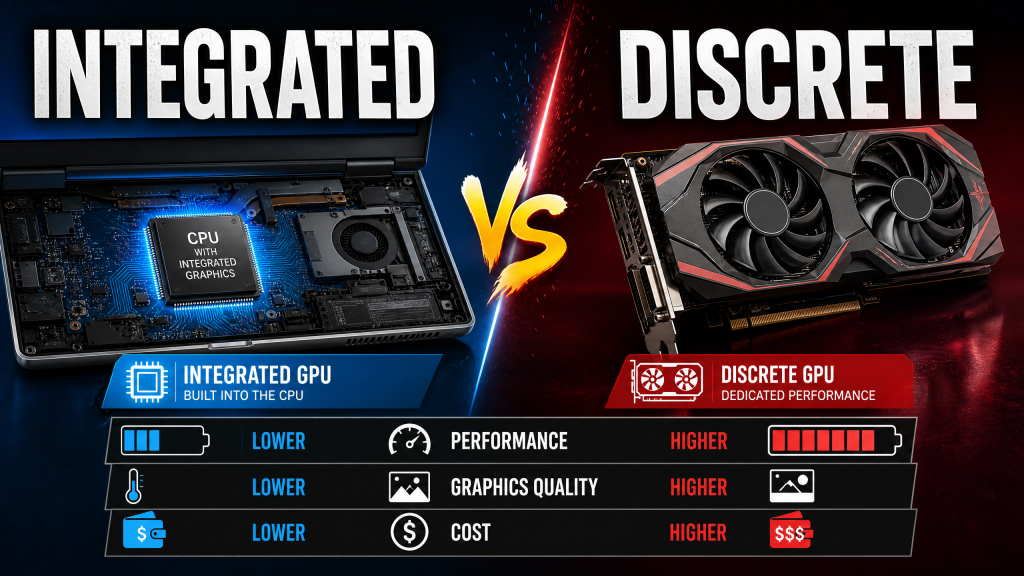
Integrated graphics, often called an iGPU (Integrated Graphics Processing Unit), are graphics processors built directly into a CPU. Instead of existing as a separate component with its own memory and cooling system, the graphics hardware shares resources with the processor.
Nearly all modern consumer processors include some form of integrated graphics. Examples include:
- AMD Radeon 890M and Radeon 880M integrated graphics
- AMD Ryzen AI series graphics processors
- Intel Arc integrated graphics found in Core Ultra processors
- Intel UHD Graphics found in mainstream CPUs
Integrated graphics use system memory (RAM) rather than dedicated video memory (VRAM). This design reduces manufacturing costs, power consumption, and system complexity while allowing users to operate a computer without purchasing a separate graphics card.
What Is a Discrete GPU?
A discrete GPU, often called a dedicated graphics card, is a separate hardware component installed into a computer. Unlike integrated graphics, discrete GPUs include:
- Dedicated graphics processors
- Dedicated VRAM
- Independent cooling systems
- Separate power delivery
- Higher compute performance
Popular discrete GPU families include:
- NVIDIA GeForce RTX Series
- AMD Radeon RX Series
- NVIDIA RTX Professional GPUs
- AMD Radeon Pro Workstation GPUs
Because they are not limited by CPU power budgets or shared memory constraints, dedicated graphics cards can deliver dramatically higher performance than integrated solutions.
The State of Integrated Graphics in 2025
Integrated graphics have improved enormously over the past decade. A modern integrated GPU delivers performance levels that would have required a dedicated graphics card only a few years ago.
AMD’s Radeon 890M integrated graphics, for example, offer impressive gaming capabilities for an iGPU. Meanwhile, Intel’s Arc-based integrated graphics support advanced technologies including:
- Hardware ray tracing
- AI acceleration engines
- AV1 video encoding and decoding
- Advanced media processing
For casual users, the difference between modern integrated graphics and entry-level dedicated graphics is smaller than ever.
Nevertheless, integrated graphics still face one major limitation: memory bandwidth.
Why Memory Bandwidth Matters
Graphics performance depends heavily on how quickly data can move between memory and the graphics processor.
Integrated GPUs share system memory with the CPU. Even fast DDR5 memory provides significantly less bandwidth than the dedicated memory used by modern graphics cards.
For example:
- DDR5 System Memory: approximately 80–120 GB/s
- GDDR6 Graphics Memory: 300–600 GB/s
- GDDR7 Graphics Memory: 600–1800+ GB/s
This massive difference explains why integrated graphics struggle with demanding gaming and professional workloads despite having increasingly capable compute architectures.
Tasks Where Integrated Graphics Work Perfectly
Office Productivity
For office applications, integrated graphics are more than sufficient.
Tasks such as:
- Microsoft Word
- Excel spreadsheets
- PowerPoint presentations
- Email management
- Cloud applications
- Remote work tools
place minimal demands on graphics hardware.
Even entry-level integrated graphics can handle these workloads effortlessly.
Web Browsing and Media Consumption
Modern browsers increasingly use GPU acceleration for smoother scrolling, video playback, and web application performance.
Fortunately, integrated graphics handle these tasks extremely well.
Activities such as:
- YouTube streaming
- Netflix and Disney+ viewing
- 4K HDR video playback
- Video conferencing
- Social media browsing
require only modest graphics resources.
Hardware video decoding capabilities built into modern integrated GPUs ensure efficient playback with low CPU usage and excellent battery life.
Light Content Creation
Integrated graphics can also support basic creative workloads.
Applications such as:
- Adobe Lightroom
- Canva
- Figma
- Adobe Illustrator
- Basic Photoshop projects
generally perform well for hobbyists and casual creators.
While performance may not match dedicated GPUs when handling large projects, modern integrated graphics provide a surprisingly capable experience.
Can You Game on Integrated Graphics?
The answer is yes—but with limitations.
Modern integrated graphics can play many popular games, especially esports and competitive titles.
Examples include:
- League of Legends
- Valorant
- Dota 2
- Rocket League
- Counter-Strike 2
- Fortnite
These games can often run at 1080p with medium settings and playable frame rates.
However, demanding AAA games tell a different story.
Titles such as:
- Cyberpunk 2077
- Alan Wake 2
- Starfield
- Black Myth: Wukong
- Microsoft Flight Simulator
quickly expose the limitations of integrated graphics.
Even the strongest integrated GPUs struggle to maintain high frame rates and visual quality in these demanding titles.
When You Need a Discrete GPU
Serious Gaming
Gaming remains the most obvious reason to purchase a dedicated graphics card.
While integrated graphics have improved, they still cannot compete with modern gaming GPUs.
Recommended discrete GPUs for gaming include:
- RTX 4060 or RX 7600 for 1080p gaming
- RTX 5070 or RX 8800 XT for 1440p gaming
- RTX 5080 or RTX 5090 for 4K gaming
Dedicated GPUs provide significantly higher frame rates, better image quality, advanced ray tracing, and access to technologies such as DLSS and FSR.
Professional Video Editing
Video editing software relies heavily on GPU acceleration.
Programs such as:
- Adobe Premiere Pro
- DaVinci Resolve
- Final Cut Pro alternatives
- Vegas Pro
can achieve dramatically faster export times with a dedicated graphics card.
Editing high-resolution footage, applying effects, and color grading all benefit from additional GPU power.
3D Rendering and Animation
Artists working with:
- Blender
- Maya
- Cinema 4D
- 3ds Max
- Unreal Engine
will experience enormous performance gains from dedicated graphics hardware.
GPU rendering can be several times faster than CPU-based rendering and vastly outperform integrated graphics solutions.
Artificial Intelligence and Machine Learning
AI workloads represent one of the fastest-growing use cases for dedicated GPUs.
Running local AI models, image generation systems, and machine learning frameworks requires substantial compute power and large amounts of VRAM.
Tasks such as:
- Stable Diffusion image generation
- Large language model inference
- AI model training
- Data science workloads
are often impractical on integrated graphics due to limited memory and computational performance.
For serious AI work, dedicated GPUs are virtually mandatory.
Laptops: A Different Consideration
The decision becomes more nuanced when buying a laptop.
Integrated graphics offer several important advantages:
- Longer battery life
- Lower heat output
- Lighter system designs
- Reduced fan noise
- Lower cost
For students, professionals, and frequent travelers, modern integrated graphics often provide the ideal balance of performance and efficiency.
Gaming laptops and mobile workstations, however, still rely heavily on dedicated GPUs to achieve acceptable performance in demanding applications.
The Future of Integrated Graphics
AMD’s upcoming UDNA architecture and Intel’s continued Arc development suggest that integrated graphics will continue improving rapidly.
Future APUs may offer performance levels that rival today’s entry-level dedicated graphics cards.
However, unless fundamental memory limitations are solved, dedicated GPUs will likely maintain a significant advantage in gaming, professional workloads, and AI applications for years to come.
How to Decide: Do You Need a Dedicated GPU?
Ask yourself the following questions:
- Do you play modern AAA games?
- Do you edit 4K or 8K video regularly?
- Do you create 3D models or animations?
- Do you use AI tools locally?
- Do you need maximum gaming performance?
- Do you run multiple high-resolution displays?
If you answered yes to one or more of these questions, a dedicated graphics card is likely a worthwhile investment.
If your activities revolve around office work, web browsing, media consumption, online meetings, light design work, and occasional gaming, modern integrated graphics can provide an excellent experience while reducing cost, power consumption, and system complexity.
Final Thoughts
The gap between integrated graphics and dedicated GPUs has narrowed significantly in recent years. Modern integrated solutions are powerful enough for everyday computing, media consumption, productivity, and even light gaming. For many users, an integrated GPU is no longer a compromise but a practical and cost-effective choice.
However, gaming enthusiasts, content creators, engineers, researchers, and AI professionals continue to benefit enormously from dedicated graphics hardware. The superior memory bandwidth, processing power, and specialized acceleration offered by discrete GPUs make them indispensable for demanding workloads.
Ultimately, the right choice depends on how you use your computer. Understanding your workload is far more important than simply buying the most powerful hardware available. By matching your graphics solution to your actual needs, you can achieve the best balance of performance, efficiency, and value.
