Post
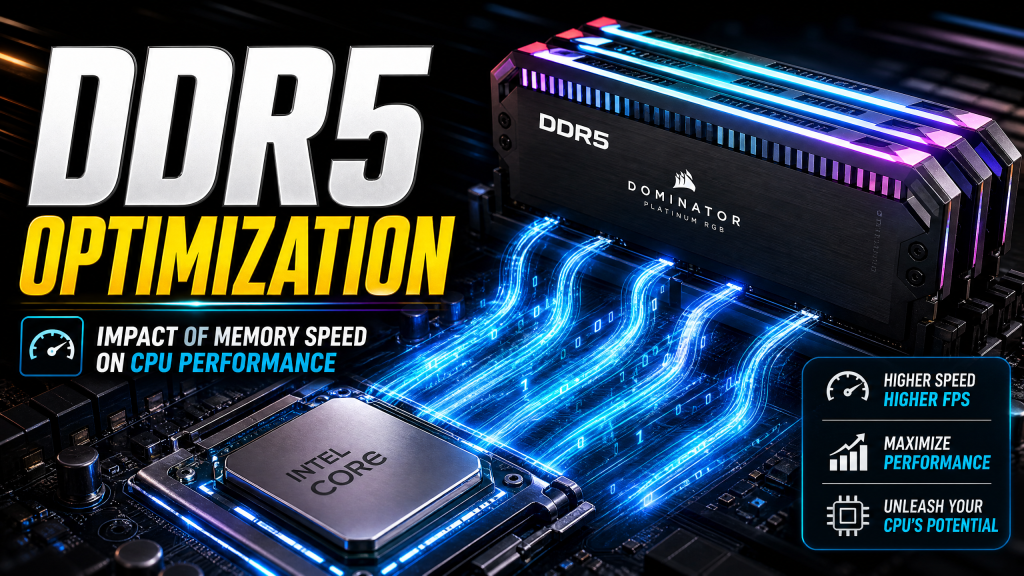
The Impact of Memory Speed on CPU Performance: DDR5 Optimization Guide
Jun
The Impact of Memory Speed on CPU Performance: DDR5 Optimization Guide
When building or upgrading a PC, most users focus on choosing the right processor and graphics card. While these components undeniably have the greatest impact on overall system performance, memory is often overlooked despite playing a critical role in how efficiently a computer operates. In reality, memory speed, latency, and configuration can significantly influence CPU performance, particularly in gaming, content creation, and productivity workloads.
With DDR5 now established as the standard memory technology for modern Intel and AMD platforms, understanding how memory works and how to optimize it has become increasingly important. A properly configured DDR5 kit can deliver measurable performance gains without requiring expensive hardware upgrades. In many cases, enabling the correct BIOS settings can unlock performance that users have already paid for but are not utilizing.
This guide explores how memory speed affects CPU performance, the differences between DDR4 and DDR5, memory tuning considerations for AMD and Intel systems, and practical recommendations for optimizing your DDR5 setup in 2025.
Why System Memory Matters
The CPU is responsible for processing instructions and executing tasks, but it cannot operate in isolation. Every application, game, and operating system process relies on data stored somewhere in memory.
When the processor needs information, it first checks its internal cache. If the required data is not available there, it must retrieve it from system RAM. Since RAM is slower than CPU cache, this process introduces latency.
The faster data can be delivered from memory to the processor, the less time the CPU spends waiting. Reduced waiting means improved efficiency, better responsiveness, and higher overall performance.
Memory performance is primarily determined by two factors:
- Bandwidth – How much data can be transferred per second.
- Latency – How quickly memory responds to requests.
DDR5 improves both aspects compared to previous generations, although the relationship between frequency and latency is more complex than many users realize.
Understanding Memory Bandwidth
Bandwidth refers to the amount of data that can flow between the CPU and memory within a given period.
Think of memory bandwidth as the width of a highway:
- A wider highway allows more vehicles to travel simultaneously.
- Higher memory bandwidth allows more data to move at once.
Applications that process large datasets benefit greatly from increased bandwidth. Examples include:
- Video editing
- 3D rendering
- Scientific simulations
- Large database workloads
- Machine learning applications
DDR5 dramatically increases memory bandwidth compared to DDR4, allowing modern processors to access data more efficiently under demanding workloads.
Understanding Memory Latency
While bandwidth determines how much data can be transferred, latency determines how quickly the transfer begins.
A useful analogy is ordering food at a restaurant:
- Bandwidth is how many meals the kitchen can prepare simultaneously.
- Latency is how long it takes before cooking begins.
Even extremely fast memory can feel slow if latency is high.
For gaming and interactive workloads, latency often matters more than raw bandwidth because many tasks involve frequent small memory requests rather than continuous large data streams.
Reducing memory latency helps improve:
- Game frame rates
- Application responsiveness
- System smoothness
- Loading performance
DDR5 vs DDR4: What Changed?
DDR5 represents the biggest memory advancement in over a decade.
Compared to DDR4, DDR5 introduces:
- Higher default frequencies
- Greater bandwidth
- Improved power efficiency
- On-die error correction
- Enhanced memory architecture
- Higher maximum capacities
Typical DDR4 kits operated between:
- 3200 MT/s and 4000 MT/s
Meanwhile, DDR5 commonly operates between:
- 5600 MT/s and 8000 MT/s
High-end enthusiast kits can exceed these speeds even further.
The result is significantly higher throughput, particularly beneficial for modern CPUs with increasing core counts.
How Memory Speed Affects Gaming Performance
Gaming performance depends on both the graphics card and processor.
In GPU-limited scenarios, memory speed may have only a small impact. However, when the CPU becomes the bottleneck, faster memory can noticeably improve frame rates.
Memory-sensitive games include:
- Microsoft Flight Simulator
- Starfield
- Cyberpunk 2077
- Counter-Strike 2
- Factorio
- Total War: Warhammer III
Testing frequently shows differences of:
- 3% to 10% between DDR5-4800 and DDR5-6000
- Higher gains in CPU-limited situations
These improvements may seem modest, but they are effectively “free” performance when using properly configured memory.
AMD Ryzen and Memory Sensitivity
AMD processors have historically benefited more from memory tuning than Intel processors.
This is largely due to AMD’s Infinity Fabric architecture.
Infinity Fabric connects:
- CPU cores
- Memory controller
- I/O die
The performance of this interconnect directly influences overall system responsiveness.
The DDR5-6000 Sweet Spot
For Ryzen 7000 and Ryzen 9000 series processors, DDR5-6000 has emerged as the optimal balance of bandwidth, latency, cost, and stability.
At DDR5-6000, Infinity Fabric and memory controller operation remain highly efficient.
Benefits include:
- Excellent gaming performance
- Low latency
- Strong system stability
- Reasonable pricing
Many benchmarks demonstrate that DDR5-6000 delivers nearly all available performance benefits without the complications associated with extremely high memory frequencies.
Why Faster Isn’t Always Better
Many users assume DDR5-7200 or DDR5-8000 automatically outperforms DDR5-6000.
In reality, performance scaling becomes increasingly limited beyond the sweet spot.
Higher frequencies often introduce:
- Increased latency
- Reduced stability
- Higher cost
As a result, the performance gain may be minimal despite the additional expense.
Intel Memory Scaling
Intel processors are generally less sensitive to memory speed.
Although faster memory still improves performance, the gains are typically smaller than on Ryzen systems.
For modern Intel platforms, DDR5-5600 through DDR5-6400 usually offers the best balance of:
- Performance
- Compatibility
- Price
Beyond DDR5-6400, returns diminish rapidly for most users.
Understanding Memory Timings
Memory frequency is only part of the equation.
RAM kits also include timing specifications such as:
DDR5-6000 CL30-38-38-76
The most commonly referenced timing is CAS Latency (CL).
Lower timing values indicate fewer clock cycles required for memory operations.
For example:
- DDR5-6000 CL30 is faster than DDR5-6000 CL36.
- DDR5-6400 CL32 may outperform DDR5-6400 CL40.
Lower latency is particularly beneficial for gaming workloads.
EXPO and XMP Profiles
One of the most common mistakes among PC builders is failing to enable memory profiles.
Most DDR5 kits advertise speeds such as:
- DDR5-5600
- DDR5-6000
- DDR5-6400
However, out of the box they typically run at default JEDEC specifications, often around DDR5-4800.
To unlock full performance, users must enable:
- XMP (Intel Extreme Memory Profile)
- EXPO (AMD Extended Profiles for Overclocking)
These profiles automatically configure:
- Frequency
- Voltage
- Timings
Enabling EXPO or XMP is one of the easiest performance improvements available.
Single-Channel vs Dual-Channel Memory
Memory configuration matters just as much as memory speed.
Dual-channel memory doubles available bandwidth compared to a single memory module.
For example:
- 1×32GB DDR5-6000 = Single Channel
- 2×16GB DDR5-6000 = Dual Channel
Despite having identical capacity and speed, the dual-channel configuration delivers substantially better performance.
Many games and applications can experience:
- 10% to 30% performance improvements
when moving from single-channel to dual-channel memory.
How Much RAM Do You Need?
16GB
Suitable for:
- Basic gaming
- General productivity
- Budget builds
32GB
The current sweet spot.
Ideal for:
- Gaming
- Streaming
- Content creation
- Multitasking
64GB and Beyond
Recommended for:
- Professional editing
- Virtual machines
- Large datasets
- AI workloads
Most gamers will not benefit significantly from more than 32GB.
Practical DDR5 Recommendations
Best DDR5 Configuration for AMD Ryzen
- 32GB (2×16GB)
- DDR5-6000
- CL30
- EXPO Enabled
This configuration currently provides the best balance of performance, stability, and value.
Best DDR5 Configuration for Intel
- 32GB (2×16GB)
- DDR5-6400
- CL32 or CL34
- XMP Enabled
This setup maximizes performance while maintaining excellent compatibility.
Budget Recommendation
- 32GB (2×16GB)
- DDR5-5600
- CL36
Budget DDR5 kits often provide nearly identical real-world performance to more expensive options while significantly reducing system cost.
Final Thoughts
Memory speed plays a larger role in CPU performance than many PC builders realize. While upgrading from DDR5-6000 to DDR5-8000 may provide only modest gains, moving from default memory settings to a properly configured dual-channel EXPO or XMP setup can deliver noticeable improvements in gaming, productivity, and overall system responsiveness.
For AMD users, DDR5-6000 CL30 remains the clear sweet spot, offering exceptional performance while maintaining optimal Infinity Fabric behavior. Intel users generally benefit most from DDR5-6400 configurations, though memory sensitivity is less pronounced than on Ryzen systems.
Ultimately, the best memory upgrade is often not purchasing faster hardware, but ensuring your existing hardware is configured correctly. Enabling XMP or EXPO, using dual-channel memory, and selecting an appropriate DDR5 kit can unlock valuable performance without requiring a major investment.
