
Post
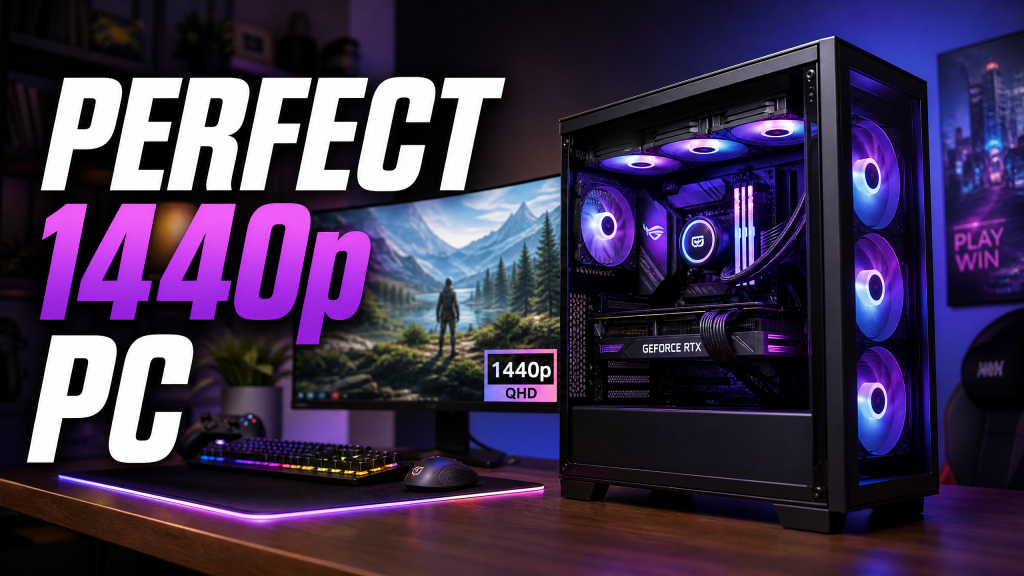
Building the Perfect 1440p Gaming PC in 2025: Complete Component Guide
Jun
Building the Perfect 1440p Gaming PC in 2025: The Complete Component Guide
The gaming PC market in 2025 offers more choices than ever before. New CPUs, GPUs, faster DDR5 memory, PCIe 5.0 storage, and increasingly demanding games have created an environment where selecting the right components can feel overwhelming. Fortunately, there is one resolution that continues to represent the perfect balance between visual quality, performance, and overall value: 1440p gaming.
Often referred to as Quad HD (QHD), 1440p provides significantly sharper visuals than 1080p while avoiding the extreme hardware requirements associated with 4K gaming. For gamers looking to enjoy modern AAA titles with high refresh rates, ray tracing, and future-proof performance, a well-balanced 1440p gaming PC is arguably the smartest investment in 2025.
This guide covers every major component needed to build the ideal 1440p gaming system, helping you maximize performance while staying within a reasonable budget.
Why 1440p Gaming Is the Sweet Spot in 2025
Gaming at 1440p delivers approximately 77% more pixels than 1080p, resulting in sharper textures, improved image clarity, and better overall visual quality. At the same time, it remains substantially easier to drive than 4K resolution.
This means gamers can enjoy:
- Higher frame rates.
- Lower hardware costs.
- Better ray tracing performance.
- Longer GPU lifespan.
- Excellent visual fidelity.
A properly configured 1440p gaming PC can comfortably achieve 100-165 FPS in modern games while maintaining high graphical settings.
Whether you enjoy competitive shooters, RPGs, open-world adventures, racing simulators, or strategy games, 1440p remains the most balanced resolution available today.
Step 1: Choosing the Right GPU
The graphics card is the most important component in any gaming system. At 1440p resolution, the GPU determines the majority of gaming performance.
Budget GPU Options ($300-$400)
- NVIDIA RTX 4060 Ti 16GB
- AMD Radeon RX 7700 XT
- Intel Arc B580 12GB
These cards are capable of delivering excellent 1440p performance in most modern games. Many titles can exceed 100 FPS using high settings, particularly when DLSS, FSR, or XeSS upscaling technologies are enabled.
Mid-Range Sweet Spot ($450-$600)
- NVIDIA RTX 4070 Super
- AMD Radeon RX 7800 XT
- NVIDIA RTX 5070
This performance tier represents the ideal balance of cost and gaming power. These GPUs can handle virtually every modern game at 1440p Ultra settings while maintaining smooth frame rates.
For most gamers, this is where the best value exists.
High-End Performance Tier ($700+)
- RTX 4070 Ti Super
- RTX 5080
- RX 7900 XTX
- RX 9900 XTX
These GPUs provide enough performance headroom to comfortably support ray tracing, ultra settings, and future game releases for years to come.
If your budget allows, investing more in the GPU generally yields greater gaming performance gains than upgrading other components.
Step 2: Selecting the Best CPU
While the GPU does most of the heavy lifting at 1440p, a capable CPU remains essential for maintaining stable frame rates and avoiding bottlenecks.
Best AMD CPU Choices
- Ryzen 5 9600X
- Ryzen 7 9700X
- Ryzen 7 9800X3D
The Ryzen 7 9700X provides an excellent balance of gaming performance, efficiency, and platform longevity. Gamers seeking maximum performance should consider the Ryzen 7 9800X3D, which benefits from AMD’s 3D V-Cache technology.
Best Intel CPU Choices
- Core i5-14600K
- Core Ultra 7 265K
- Core Ultra 9 285K
Intel’s modern processors continue to offer strong gaming performance, particularly in titles that benefit from high clock speeds and excellent single-threaded performance.
For a dedicated gaming system, spending excessively on a flagship CPU rarely provides significant gains at 1440p. It is usually better to allocate more budget toward the graphics card.
Step 3: Motherboard Selection
A motherboard should provide reliability, connectivity, and future upgrade flexibility without unnecessarily inflating the budget.
Recommended AMD Motherboards
- B650
- B650E
- X870
The B650 chipset offers outstanding value and includes modern features such as:
- PCIe 5.0 support
- DDR5 compatibility
- USB 3.2 Gen 2 ports
- Wi-Fi 6E support (on many models)
Recommended Intel Motherboards
- B860
- Z890
For gamers who do not plan to overclock extensively, mid-range motherboard options typically provide all necessary functionality.
Step 4: Memory (RAM)
Memory capacity and speed both influence gaming performance.
In 2025, the recommended specification for gaming is:
- 32GB DDR5 capacity
- DDR5-6000 to DDR5-6400 speed
- CL30 to CL32 latency
- Dual-channel configuration
A 32GB kit ensures smooth multitasking, future game compatibility, and adequate memory for background applications.
For AMD systems, DDR5-6000 CL30 remains the optimal choice due to Infinity Fabric synchronization.
Step 5: Storage Configuration
Fast storage significantly improves system responsiveness and game loading times.
A PCIe 4.0 NVMe SSD remains the best value option in 2025.
Recommended SSDs
- Samsung 990 Pro
- WD Black SN850X
- Crucial T500
- Kingston KC3000
A minimum of 1TB is recommended, although 2TB is increasingly becoming the preferred capacity due to growing game sizes.
Popular games regularly exceed 100GB, making larger storage capacities more practical.
Step 6: CPU Cooling
Modern CPUs can generate significant heat under heavy workloads. Proper cooling ensures stable performance and quieter operation.
Best Air Coolers
- Noctua NH-D15 G2
- DeepCool Assassin IV
- Thermalright Phantom Spirit
Best AIO Liquid Coolers
- Arctic Liquid Freezer III 360
- Corsair H150i Elite
- NZXT Kraken Elite 360
For CPUs below 150W power consumption, premium air coolers are typically sufficient. High-end processors may benefit from a 360mm AIO liquid cooler.
Step 7: Power Supply Selection
A high-quality power supply is one of the most important investments in any PC build.
Recommended wattage:
- 650W for budget systems
- 750W for mid-range systems
- 850W for high-end systems
- 1000W+ for flagship GPUs
Look for:
- 80+ Gold certification
- Fully modular cables
- ATX 3.1 compatibility
- Strong manufacturer warranty
Trusted brands include Seasonic, Corsair, be quiet!, EVGA, and MSI.
Step 8: Choosing the Right Case
A well-designed case improves airflow, temperatures, and overall system aesthetics.
Look for:
- Mesh front panel
- Good cable management space
- Support for large GPUs
- Multiple fan mounting locations
- Radiator compatibility
Recommended Cases
- Fractal Design North
- Fractal Pop Air
- Phanteks P500A
- Lian Li Lancool III
- Corsair 4000D Airflow
Good airflow can reduce GPU temperatures by several degrees while lowering overall system noise.
Example Perfect 1440p Gaming Build (2025)
| Component | Recommendation |
|---|---|
| CPU | AMD Ryzen 7 9700X |
| CPU Cooler | Thermalright Phantom Spirit 120 |
| Motherboard | B650 ATX Motherboard |
| GPU | NVIDIA RTX 4070 Super |
| RAM | 32GB DDR5-6000 CL30 |
| Storage | 2TB PCIe 4.0 NVMe SSD |
| Power Supply | 750W 80+ Gold Modular PSU |
| Case | Corsair 4000D Airflow |
This configuration delivers exceptional 1440p gaming performance, supports modern technologies such as ray tracing and AI upscaling, and offers a strong upgrade path for future GPU generations.
Final Verdict
Building a 1440p gaming PC in 2025 is all about balance. The ideal system prioritizes GPU performance while pairing it with a modern CPU, fast DDR5 memory, reliable storage, and quality supporting components.
For most gamers, the combination of a Ryzen 7 9700X or Core Ultra 7 processor alongside an RTX 4070 Super or RX 7800 XT delivers the best overall experience. Such a system can easily handle today’s most demanding games while remaining relevant for many years.
By focusing your budget on the components that matter most and avoiding unnecessary overspending, you can build a powerful, efficient, and future-ready 1440p gaming PC that offers outstanding value in 2025 and beyond.
