
Post
What is DLSS 4? NVIDIA’s AI Upscaling Explained in Detail
Jun
What Is DLSS 4? NVIDIA’s AI Upscaling Explained in Detail
Modern video games are more visually impressive than ever before. Advanced ray tracing, realistic lighting, highly detailed textures, complex physics simulations, and massive open worlds have pushed graphics hardware to its limits. At the same time, gamers increasingly expect higher resolutions and smoother frame rates. Running modern AAA games at 1440p, 4K, or even 8K while maintaining high refresh rates places enormous demands on graphics cards.
To address this challenge, NVIDIA developed DLSS (Deep Learning Super Sampling), an AI-powered technology designed to boost gaming performance without sacrificing image quality. Since its introduction in 2018, DLSS has evolved through multiple generations, becoming one of the most important graphics technologies in modern PC gaming.
In 2025, NVIDIA introduced DLSS 4, the most advanced version of the technology yet. Featuring a new transformer-based AI model, enhanced image reconstruction, and groundbreaking Multi-Frame Generation capabilities, DLSS 4 significantly improves both visual quality and gaming performance.
This guide explains exactly what DLSS 4 is, how it works, how it differs from previous versions, and why it has become a major selling point for NVIDIA RTX graphics cards.
The Problem DLSS Is Designed to Solve
Higher resolutions require dramatically more graphics processing power.
Consider the following:
- 1080p = approximately 2 million pixels
- 1440p = approximately 3.7 million pixels
- 4K = approximately 8.3 million pixels
- 8K = approximately 33 million pixels
Every pixel must be rendered by the GPU for every frame displayed on screen. As resolution increases, the workload grows exponentially.
For example, a game running at 120 FPS in 1080p may drop to 50–60 FPS at 4K using the same hardware and settings.
Traditionally, gamers had only one solution: purchase a more powerful graphics card.
DLSS introduces a completely different approach.
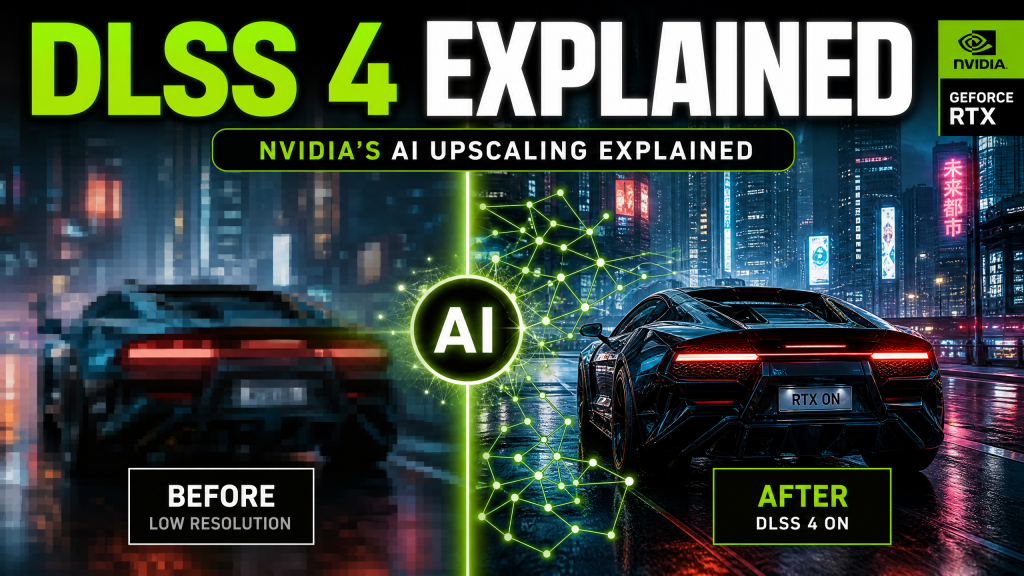
Instead of rendering every pixel at full resolution, DLSS renders the game internally at a lower resolution and then uses artificial intelligence to reconstruct a higher-resolution image that closely resembles native rendering.
This significantly reduces GPU workload while preserving visual quality.
What Does DLSS Stand For?
DLSS stands for:
Deep Learning Super Sampling
The name reflects its core technologies:
- Deep Learning – AI neural networks trained by NVIDIA.
- Super Sampling – Reconstructing a higher-resolution image from lower-resolution input.
Unlike traditional upscaling methods that simply stretch pixels, DLSS uses machine learning models trained on massive datasets to intelligently predict missing detail.
The result is often dramatically better image quality than conventional upscaling techniques.
How DLSS Works
At a basic level, DLSS follows four major steps:
- The game renders at a lower internal resolution.
- Motion vectors and frame data are collected.
- An AI model analyzes the image.
- A higher-resolution frame is generated.
For example, a game targeting 4K output may actually render internally at 1440p.
The AI model then reconstructs a 4K image using:
- Current frame information
- Previous frame history
- Motion vector data
- Learned image patterns
This allows DLSS to produce a final image that looks remarkably close to native 4K while requiring significantly less rendering work.
The Evolution of DLSS
DLSS 1
The original DLSS introduced the concept of AI-powered image reconstruction but suffered from image softness and inconsistent quality.
Although innovative, DLSS 1 was not widely adopted due to visual artifacts and limited game support.
DLSS 2
DLSS 2 represented a major breakthrough.
NVIDIA moved to a generalized AI model that worked across multiple games rather than requiring game-specific training.
Image quality improved dramatically, and DLSS quickly became one of the most respected graphics technologies available.
DLSS 3
DLSS 3 introduced Frame Generation.
Instead of only reconstructing higher-resolution images, NVIDIA began generating entirely new frames using AI.
This allowed frame rates to increase far beyond what traditional rendering alone could achieve.
DLSS 4
DLSS 4 builds on all previous innovations while introducing:
- Transformer AI models
- Improved image reconstruction
- Better temporal stability
- Reduced ghosting
- Multi-Frame Generation
- Higher frame rate scaling
Transformer-Based AI: The Biggest Change in DLSS 4
One of the most important innovations in DLSS 4 is the transition from Convolutional Neural Networks (CNNs) to Transformer-based neural networks.
Transformers are the same class of AI architecture used in modern large language models such as ChatGPT and many advanced image-generation systems.
Unlike CNNs, which focus primarily on local image regions, transformers can analyze relationships across an entire image simultaneously.
This allows DLSS 4 to better understand:
- Fine textures
- Distant objects
- Hair and fur detail
- Foliage and vegetation
- Text rendering
- Complex geometry
The result is noticeably improved visual fidelity compared to earlier DLSS versions.
What Is Multi-Frame Generation?
The most exciting feature introduced in DLSS 4 is Multi-Frame Generation (MFG).
To understand MFG, it helps to look at how previous Frame Generation worked.
With DLSS 3:
- Frame A = rendered normally
- Frame B = AI-generated
- Frame C = rendered normally
This effectively doubled frame rates.
DLSS 4 expands the concept dramatically.
Multi-Frame Generation can insert multiple AI-generated frames between rendered frames.
For example:
- Rendered Frame
- Generated Frame 1
- Generated Frame 2
- Generated Frame 3
- Next Rendered Frame
This means one rendered frame can produce up to four displayed frames.
In ideal scenarios, frame rates can increase by as much as 4× compared to traditional rendering.
How Multi-Frame Generation Works
Multi-Frame Generation relies heavily on:
- Optical Flow Analysis
- Motion Vector Data
- AI Prediction Models
- Frame History Information
The system analyzes how objects move between frames and predicts what intermediate frames should look like.
Because the AI understands object motion, camera movement, and scene geometry, generated frames appear surprisingly natural and convincing.
This technology is particularly effective in games where camera movement is smooth and predictable.
DLSS 4 Quality Modes Explained
DLSS 4 offers several preset modes that balance image quality and performance.
Quality Mode
Internal resolution is approximately 67% of output resolution.
This mode prioritizes image quality and is recommended for most users.
Balanced Mode
Internal resolution drops slightly further.
Balanced mode offers an excellent compromise between visual quality and frame rate.
Performance Mode
Internal rendering occurs at roughly 50% resolution.
Performance mode significantly increases frame rates but may introduce minor image softness.
Ultra Performance Mode
Designed primarily for 8K gaming.
Internal resolution is reduced aggressively to maximize performance.
Visual quality sacrifices become more noticeable at this setting.
Latency and NVIDIA Reflex
A common concern regarding Frame Generation technologies is input latency.
Since generated frames are predictions rather than directly rendered outputs, they can increase the delay between player input and on-screen response.
To address this issue, NVIDIA pairs DLSS 4 with Reflex technology.
NVIDIA Reflex reduces:
- CPU render queue latency
- GPU render queue latency
- System input lag
The goal is to ensure that higher frame rates do not come at the expense of responsiveness.
For most gamers, Reflex successfully keeps latency increases minimal while preserving the performance advantages of Frame Generation.
Hardware Requirements
DLSS 4 support varies depending on which features are being used.
DLSS Super Resolution
- Supported on RTX 20 Series
- Supported on RTX 30 Series
- Supported on RTX 40 Series
- Supported on RTX 50 Series
Multi-Frame Generation
- Requires RTX 40 Series or newer
- Best performance on RTX 50 Series
This means older RTX cards can still benefit from DLSS upscaling but may not support every advanced DLSS 4 feature.
DLSS 4 vs AMD FSR 4
AMD’s answer to DLSS is FidelityFX Super Resolution (FSR).
FSR 4 has improved dramatically and now incorporates machine learning techniques similar to DLSS.
Advantages of DLSS 4:
- Superior image reconstruction
- Better fine-detail preservation
- Reduced ghosting
- More advanced Frame Generation
Advantages of FSR 4:
- Works across multiple GPU brands
- Broader hardware compatibility
- No NVIDIA hardware requirement
For RTX owners, DLSS 4 remains the preferred solution.
DLSS 4 vs Intel XeSS 2
Intel’s XeSS 2 is another AI upscaling solution competing in the same space.
XeSS performs particularly well on Intel Arc GPUs but can also run on competing hardware.
While XeSS has improved substantially, DLSS 4 currently maintains a lead in image quality, feature maturity, and game support.
Why DLSS 4 Matters for Gamers
DLSS 4 changes the traditional relationship between graphics quality and performance.
Instead of choosing between higher frame rates and better visuals, gamers can often enjoy both simultaneously.
Benefits include:
- Higher FPS without major image quality loss
- Improved ray tracing performance
- Reduced GPU workload
- Better utilization of high-refresh-rate monitors
- Extended lifespan for graphics cards
As game graphics become increasingly demanding, technologies like DLSS 4 are likely to become essential rather than optional.
Final Thoughts
DLSS 4 represents one of the most significant advancements in gaming graphics technology in recent years. By leveraging transformer-based AI models and introducing Multi-Frame Generation, NVIDIA has pushed the boundaries of what is possible with real-time rendering.
For gamers using RTX hardware, DLSS 4 offers a compelling combination of higher frame rates, improved image quality, enhanced ray tracing performance, and smoother gameplay experiences. While competitors such as AMD FSR 4 and Intel XeSS 2 continue to improve, DLSS 4 currently stands as the most advanced AI upscaling solution available.
As AI becomes increasingly integrated into graphics pipelines, technologies like DLSS 4 are shaping the future of gaming by making high-resolution, high-refresh-rate experiences more accessible than ever before.
